Path of Exile 2: Character Trade Search
Thu May 28Character Trade Search is now available for Path of Exile 2, just in time for the Return of the Ancients launch. Jump straight from any item on a character to a pre-filled search on the official Path of Exile 2 trade site, with mods, pseudo stats and property filters already set up. No more copying mods one by one.
Video Walkthrough
How It Works
When looking at a character, whether a build you are studying or one of your own characters , hover over any equipped item to reveal a small trade button in the action bar above it. For slimmer items like rings or jewels it shows up as just an icon. On mobile, tap the item to open its tooltip and the same button appears.
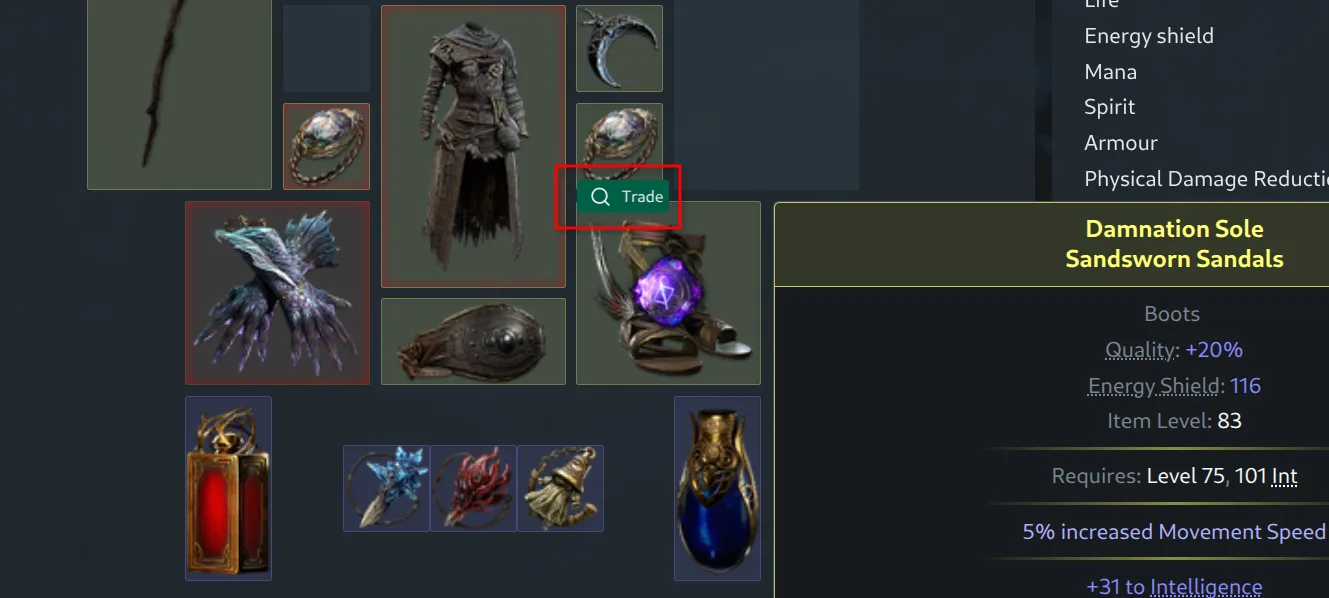
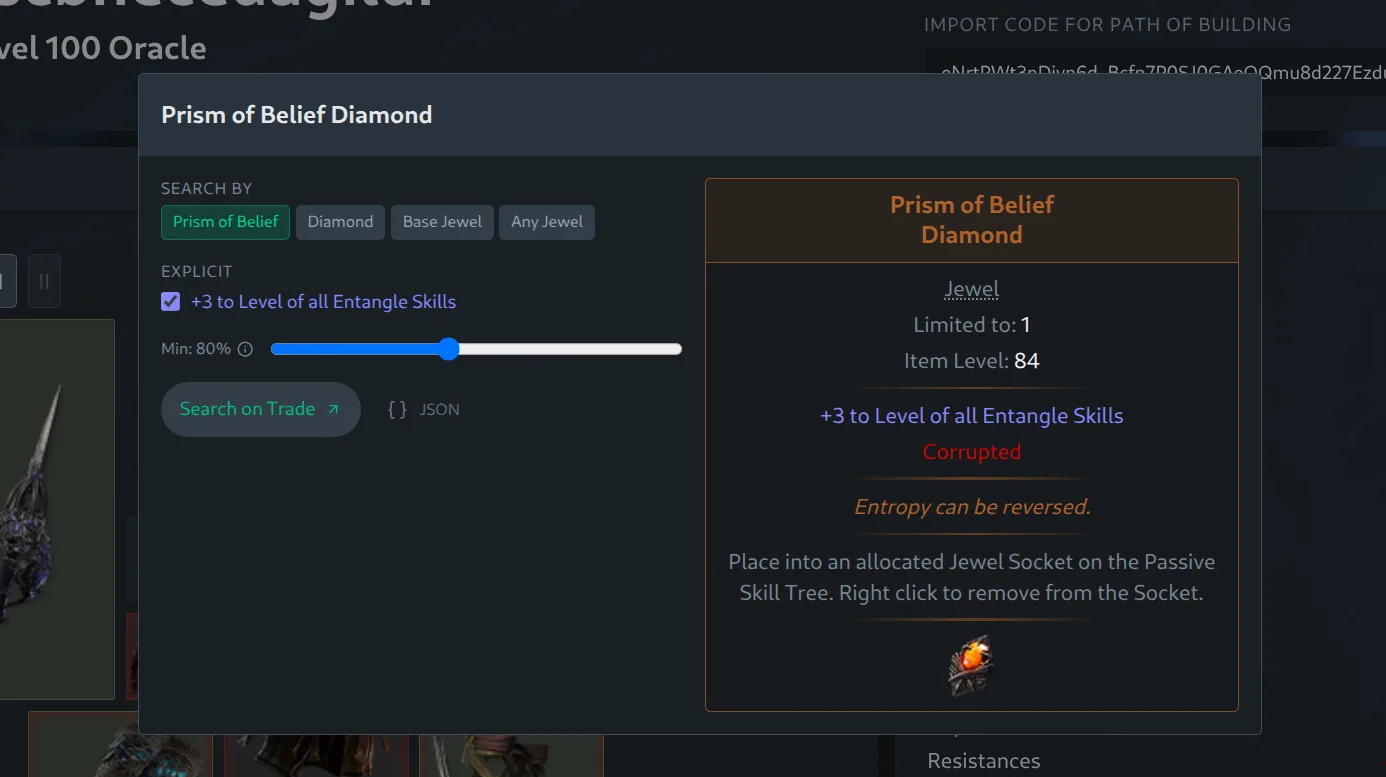
Clicking it opens a dialog showing the item on the right and its mods grouped by category on the left. Toggle individual mods on or off, choose how strict you want each value to be, and hit "Search on Trade" to open the official trade site with everything filled in.
Equipment
Mods like life and resistances are automatically rolled up into pseudo stats such as total elemental resistance, so the search uses the combined filter the trade site expects rather than each suffix in isolation. Local mods like increased armour or critical chance are marked as "local" and left out, since they are already accounted for by the property filters.
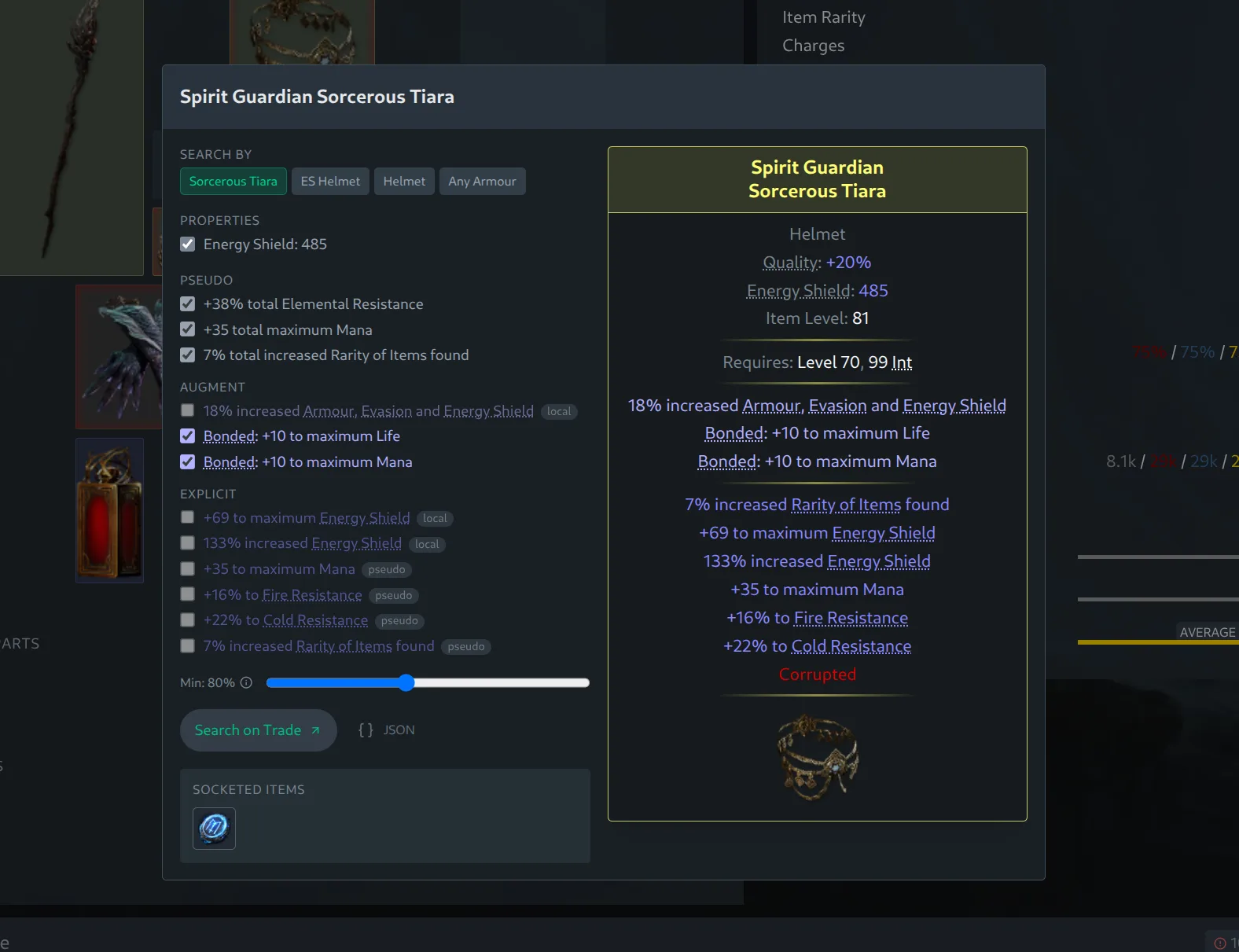
The "Search by" options let you generalize the search beyond the exact base type. For example, when looking at a helmet you can broaden the search from the specific base to "ES Helmet" for any energy-shield helmet, or all the way to "Any Armour", while the property filters make sure you still get something with similar armour, evasion or energy shield. For unique items the default is a search by name.
Loosening the Search
High-end items can be hard to match. A character's gear is often near the top of what is available, with several strong mods at once, and an item that good rarely has a cheap twin on the market. The dialog is built for loosening the search until results start showing up: broaden the base, lower the Min slider, or drop the mods you care least about.
You can also toggle a whole category on or off by clicking its header, which is handy for dropping all the augment mods at once when an exact match turns out to be too hard to find.
A "Min" slider lets you control how strict the search is. By default it is set to 80%, which loosens every value by 20% to find similar items on a budget. Setting it to 100% gives you exactly the rolls on the original item or better, and you can push it past 100%, up to 120%, to demand a strict upgrade over your current gear.
Timeless Jewels
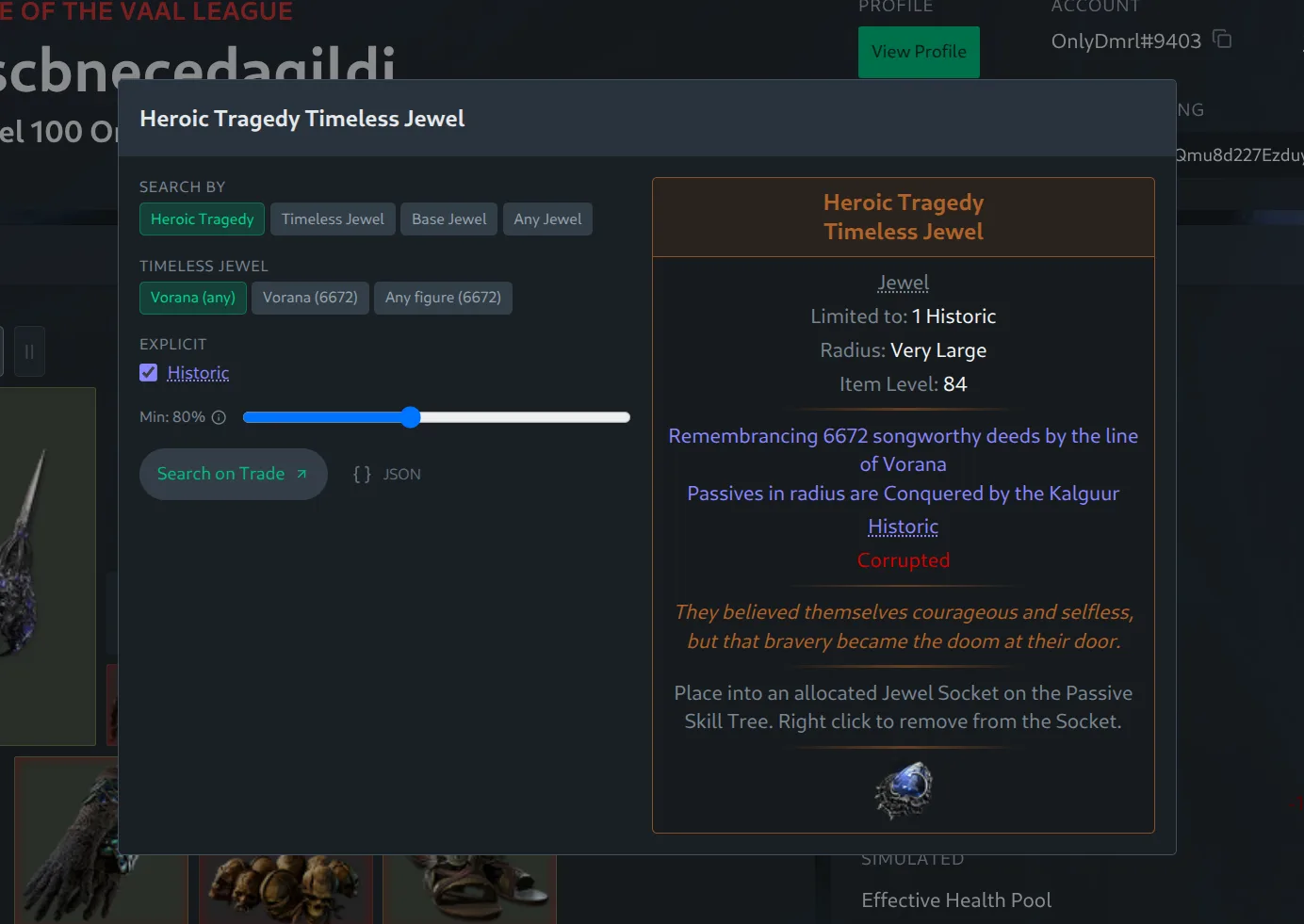
Timeless jewels are recognized by name and get an extra row for choosing how to search. A timeless jewel is defined by its variation and a seed number, so you can search for a specific variation with any seed, a specific seed, or any variation with a given seed. Which one you want depends on the build. The variation decides which keystone the jewel grants, so if a build is built around a specific keystone you will want to match it, for example a Heroic Tragedy with the Vorana variation. Other builds care more about the seed, which determines the passives the jewel transforms.
Socketed Augments
If an item has socketed runes, soul cores, talismans or idols, they show up as a row of clickable icons below the action bar, each opening a trade search for that augment. This matters less in Path of Exile 2 than in Path of Exile 1, since you will usually pick these up on the currency exchange instead, but it is a quick way to see exactly what a build is running.
What's Next
More features are on the way. Feedback is welcome on our Discord .
Open one of your characters or browse builds to try it out.